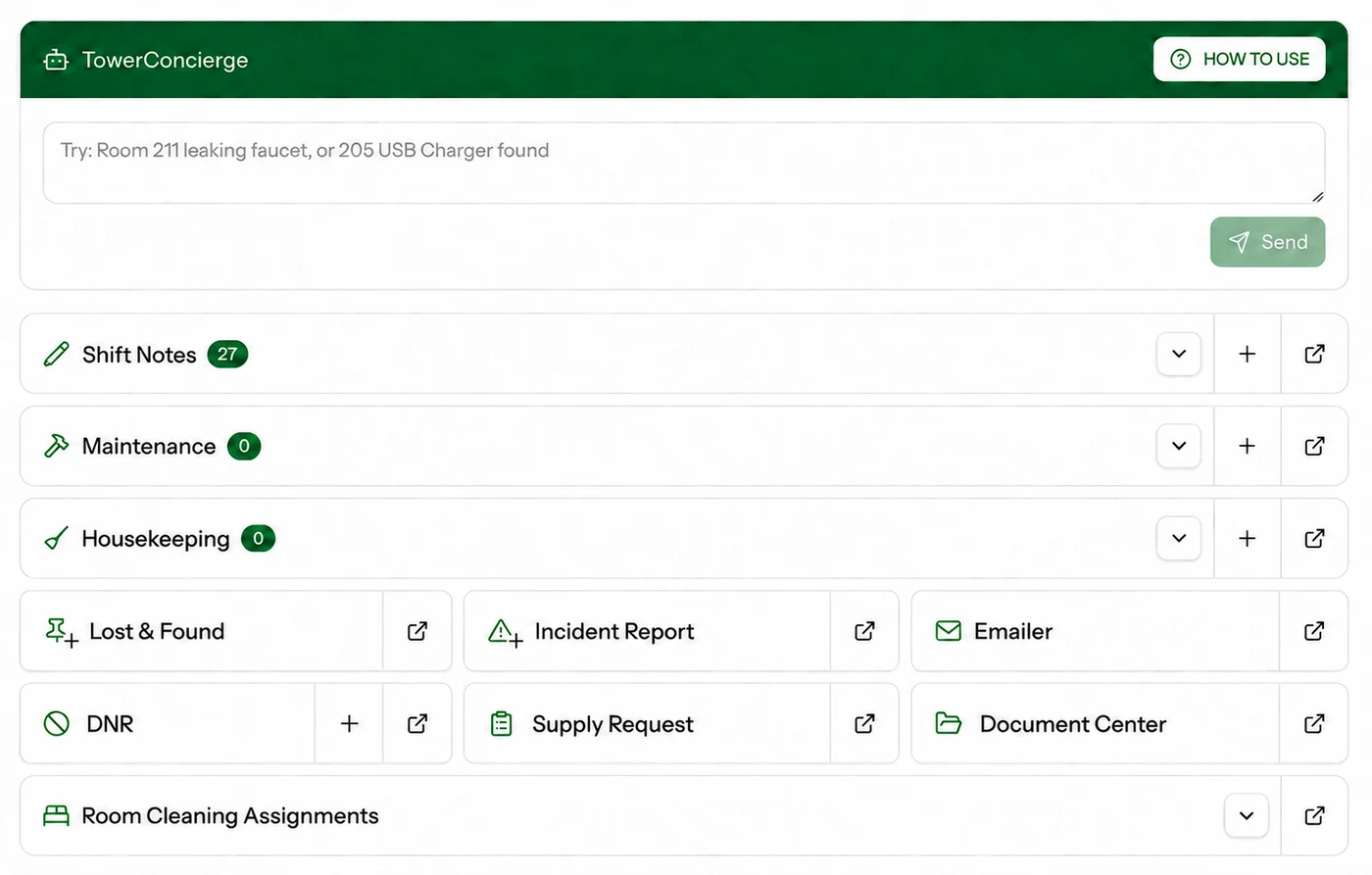
Keep daily operations organized in one place—from shift notes and maintenance tracking to housekeeping requests, incident reports, do-not-rent records, supply requests, and room-cleaning assignments.
At the start of each day, property managers receive TowerPulse, a recap of property performance and all new log entries from the previous 24 hours.
RUN TOWER / DAILY OPERATIONS
02
TowerText + Concierge
TowerText. Give every property a dedicated guest-texting number and shared team inbox. Front-desk staff can answer questions, coordinate requests, and maintain a complete conversation history—without using personal phones.
Conversation-to-Ticket Automation. As guest conversations unfold, TowerConcierge identifies requests that require follow-through—such as low water pressure, missing towels, or a broken fixture—and prepares the appropriate Maintenance or Housekeeping ticket. Staff can review, edit, and confirm ticket creation before it enters Daily Operations.
Employee Text Assistance. Employees can text TowerConcierge to check upcoming shifts, review hours and pay-period totals, or submit day-off requests. They can also report operational issues—for example, spilled coffee in the breakfast area—and TowerConcierge will generate the appropriate Housekeeping ticket for follow-up.
RUN TOWER / GUEST MESSAGING / TOWERCONCIERGE
TowerConcierge Monitoring Active
Welcome to Aspen Hotel and Grill! Please message us if you experience any issues during your stay—or even if you’d like to share positive feedback.
Hi, the shower in room 412 has very low water pressure.
TowerConcierge Suggestion for Front Desk AgentInspect low shower water pressure
Room 412 · Guest reported low shower water pressure.
EditConfirm Ticket CreationTicket created
Thank you for letting us know. We’ll have someone take a look.
Thank you! Dinner at the restaurant was great this evening!
Thank you for the feedback—we’ll make sure to let the team know.
POSITIVE GUEST FEEDBACKShift note added
Guest in room 412 loved dinner at the restaurant this evening.
Saved to Shift Notes
03
Digital Tipping + TowerPages
Digital Tipping. Give guests a quick, cashless way to thank the people who made their stay memorable—whether recognizing a department or the entire hotel team through a secure mobile payment system. Tips are deposited directly into the property's bank account, while managers can view and allocate them to the appropriate payroll period—all within Run Tower.
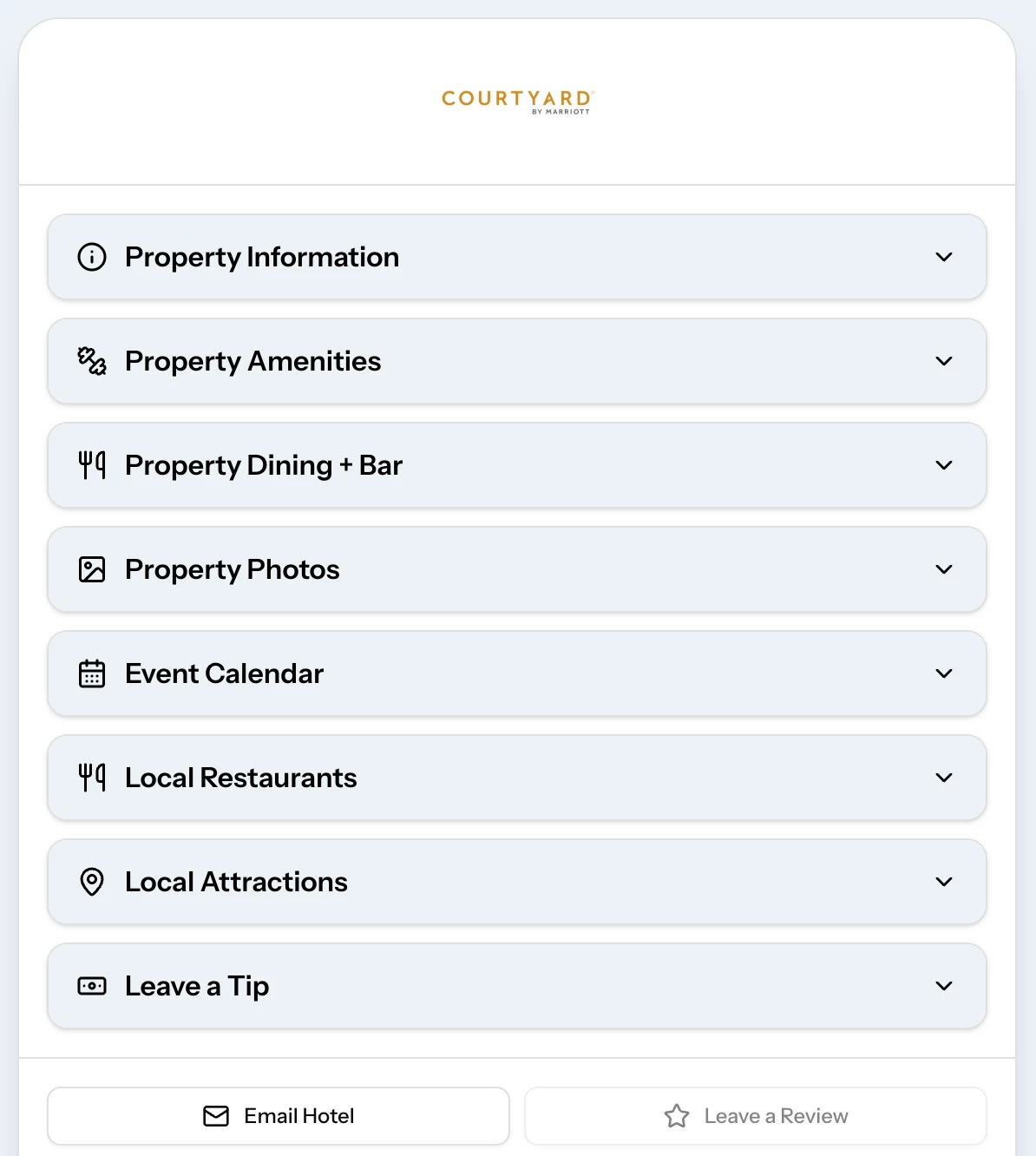
TowerPages. Give every property a custom-branded, mobile-friendly guest website accessible by QR code. Guests can find property details, amenities, dining options, photos, TV channel lineups, events, and curated local recommendations without searching or calling the front desk. Each page brings essential stay information and the digital tipping experience together in one convenient destination.
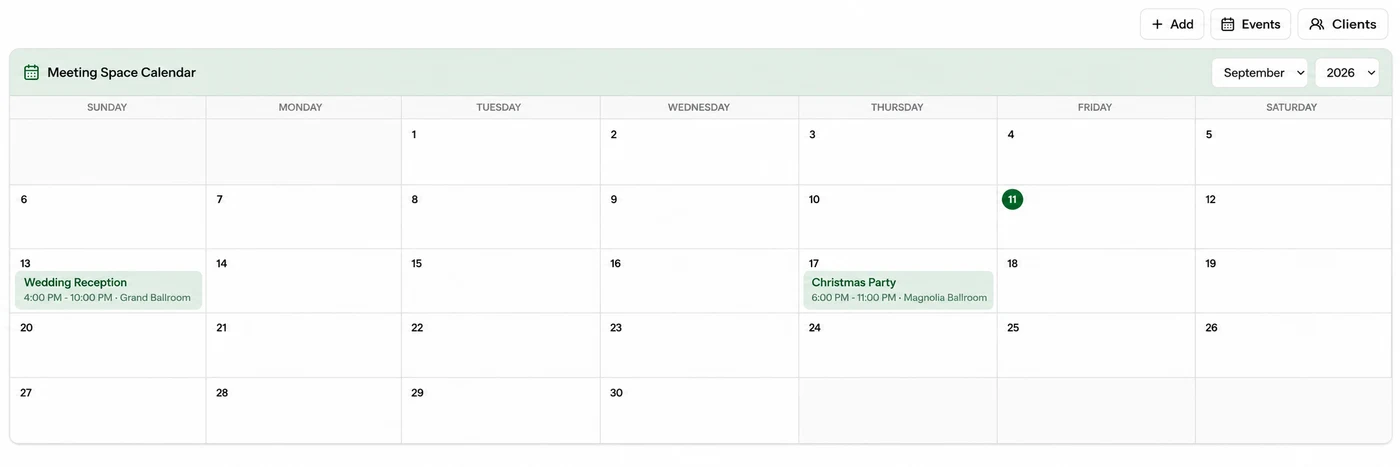
Turn every inquiry into a well-executed event. Keep leads, contacts, meeting spaces, and event details moving through one connected workflow.
Build the Pipeline. Track every opportunity from initial inquiry through tentative, definite, and completed—so the team always knows what needs attention next.
Run the Event. Manage availability, banquet event orders, setup details, timelines, and special requests while keeping sales and hotel operations aligned.
Inquiry ReceivedTentative ClientBooking Completed
RUN TOWER / MEETING SPACE CALENDAR
05
Market Analysis
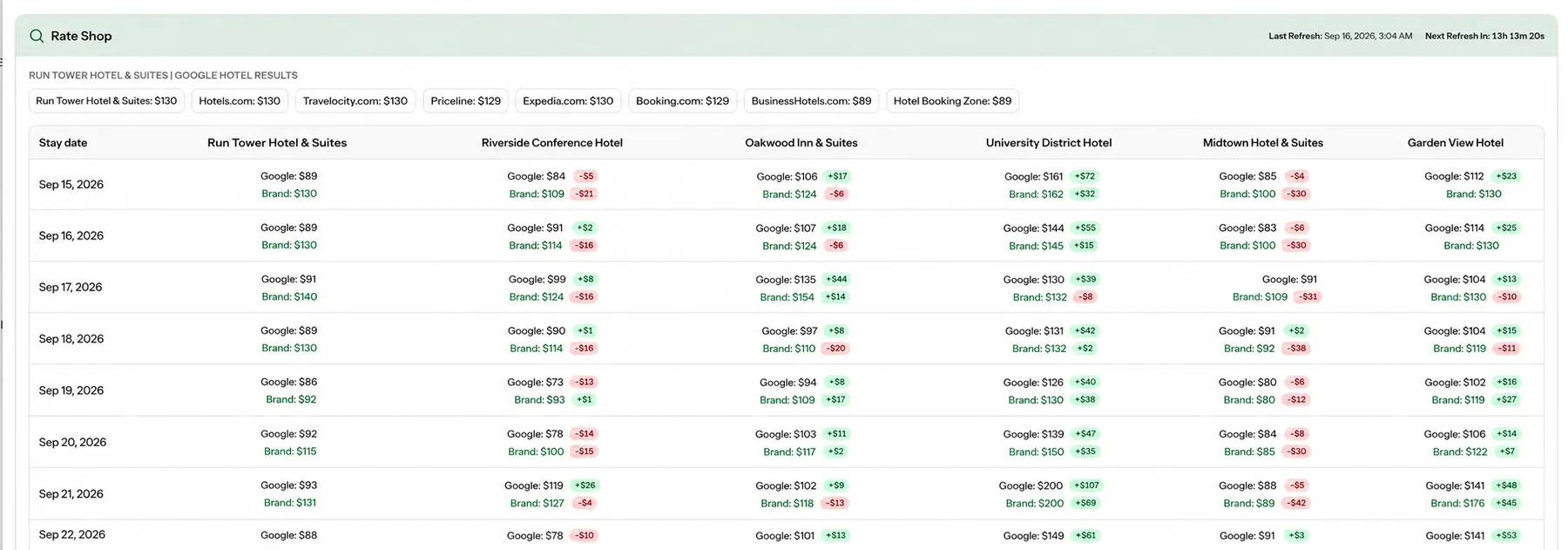
Compare your property's rates directly with your competitive set in one clear view. Rates refresh once daily using the latest available pricing, helping your team monitor market position, identify pricing opportunities, and make more informed revenue decisions.
RUN TOWER / MARKET ANALYSIS
06
Labor Management
Hiring + Onboarding. Move candidates from application to first shift without paperwork. Collect job applications, complete onboarding, securely store employee documents, and manage performance reviews in one organized employee record.
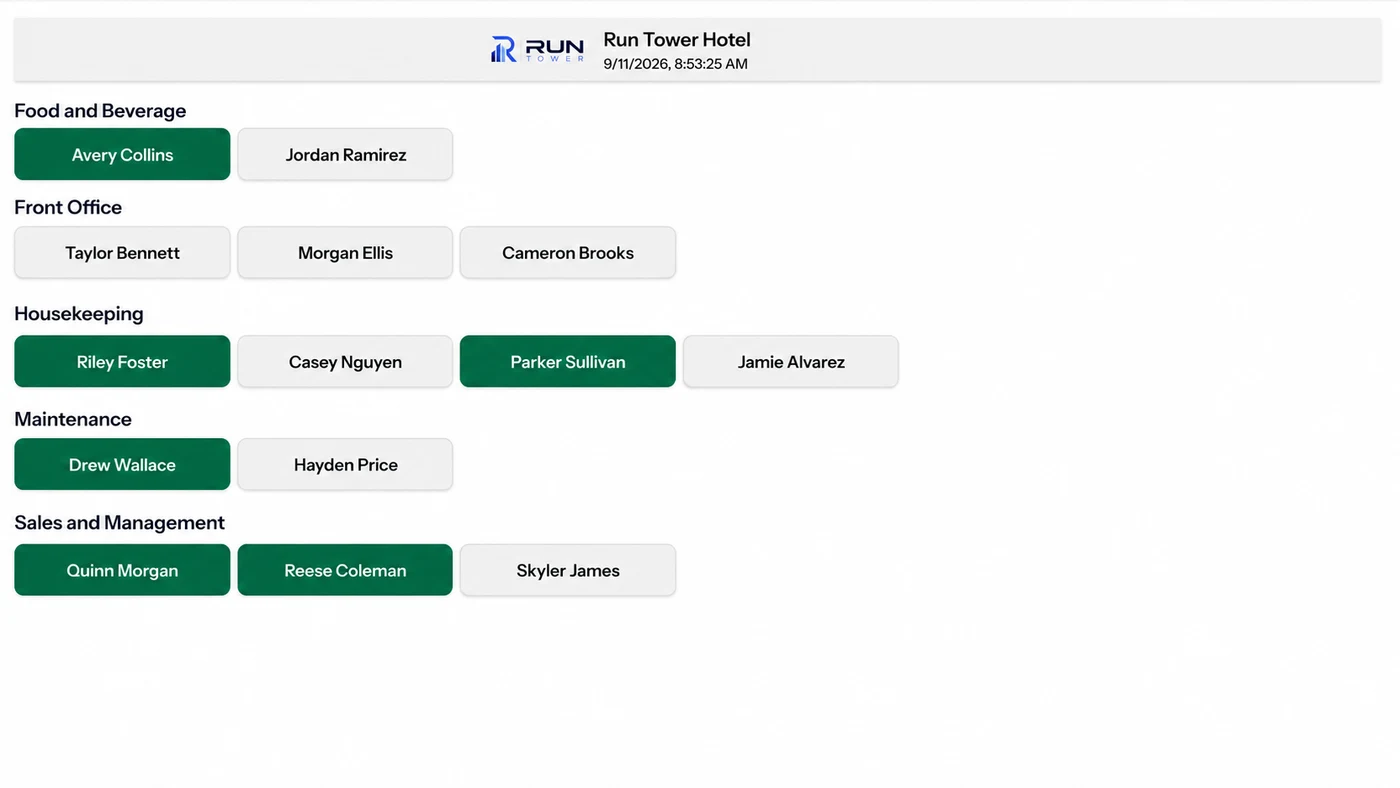
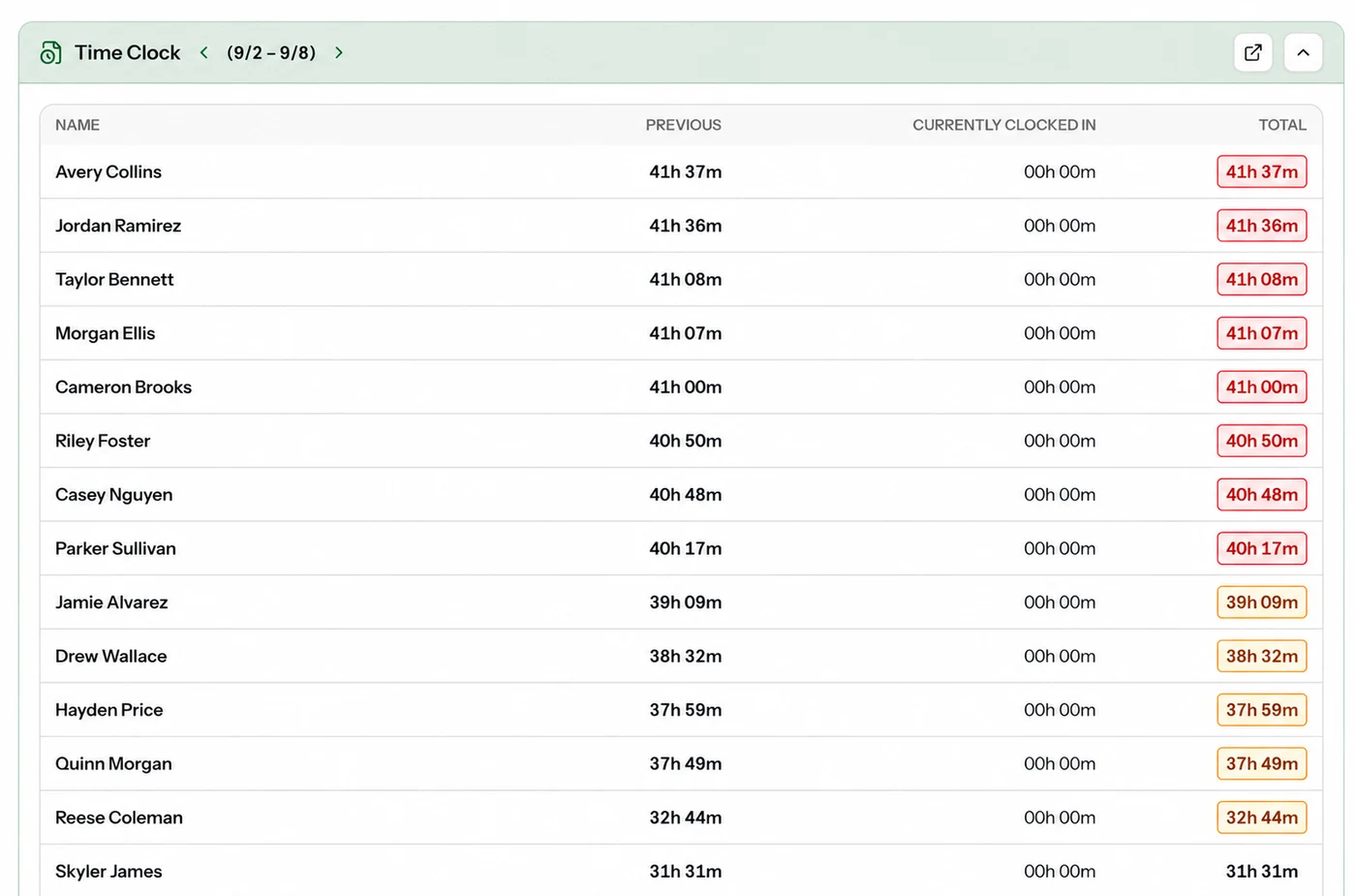
TowerTime. Manage time clocks, schedules, PTO, and day-off requests in one place. Monitor overtime and labor as it happens, then export payroll-ready hours without rebuilding spreadsheets.
Employee Access. Give employees one mobile place to view schedules and hours, request time off, and access the tools they need for daily hotel operations. Each employee can use Run Tower in their preferred supported language, keeping the entire team connected and informed.
TIME CLOCK / EMPLOYEE ACCESS
LABOR / WEEKLY HOURS
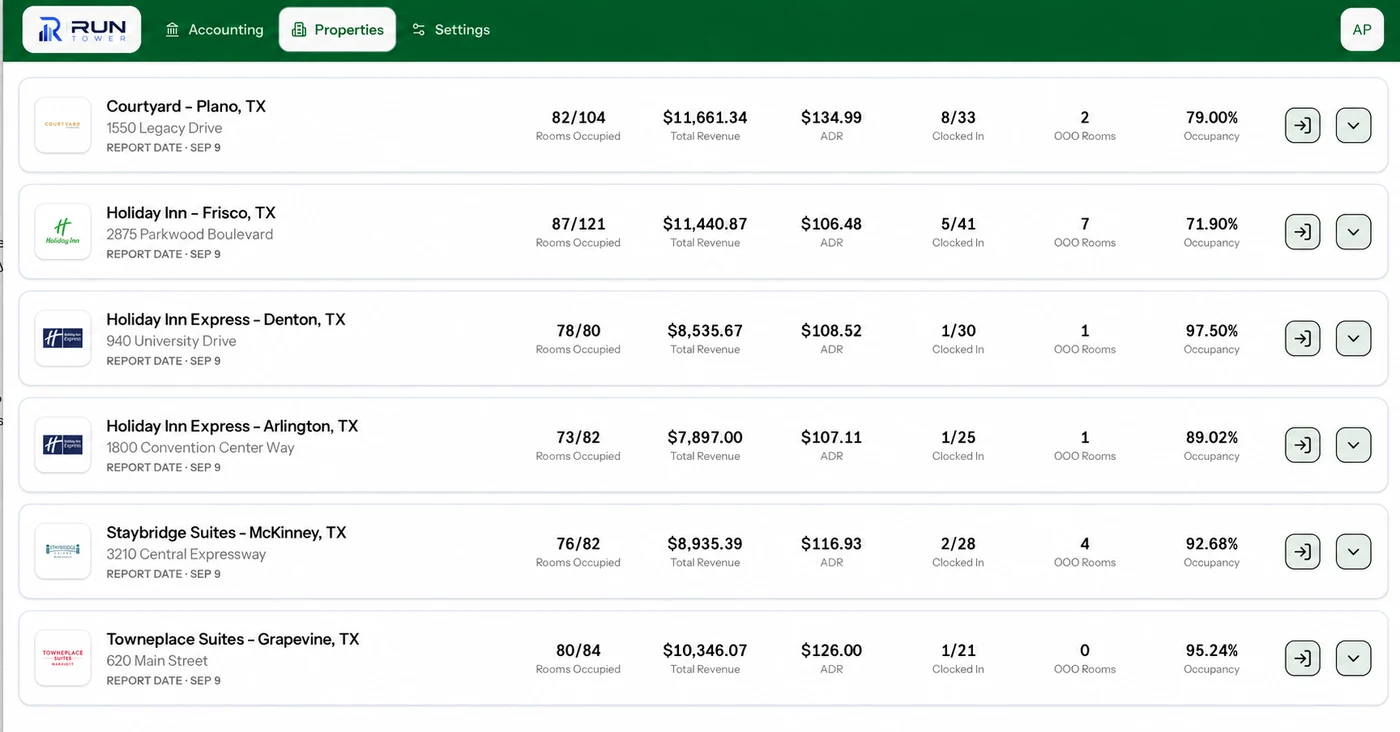
PORTFOLIO PERFORMANCE
Every property. One clear view.
See performance across your entire portfolio, identify what needs attention, and make faster decisions without opening separate systems for every hotel.
Connected Performance.Bring PMS and POS data together to compare occupancy, ADR, revenue, arrivals, and out-of-order rooms across every property.
Financial Control.Keep credit-card reconciliation, municipal tax payments, franchise billing, and other recurring financial work organized across the portfolio.
TowerPulse Visibility.Give owners and management companies a concise daily recap of portfolio performance and notable property activity—without digging through separate property-level reports.